
How to Turn Yourself Into an Elf (3 Ways, With or Without a Costume)
Three ways to turn yourself into a Christmas elf: a real costume photo at home, an AI elf maker that keeps your face, or an app filter. What each is good for and how to get it right.
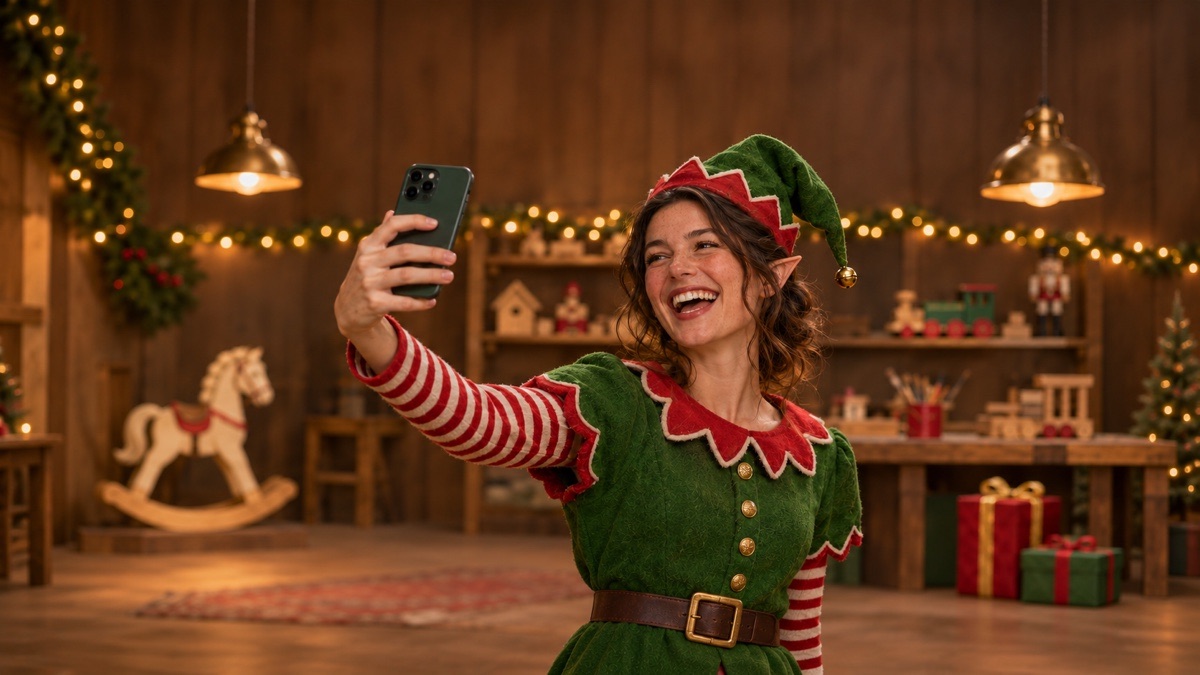
There are three ways to turn yourself into an elf for Christmas, and they give you very different things. You can dress up and take a real photo, which is the most fun and the most work. You can upload a photo you already have to an AI elf maker and get back a picture of you in costume, which takes a minute. Or you can use a live filter or a face-swap app, which is quick and silly but rarely looks like a photo you'd print.
Which one is right depends on what the elf picture is for. Here's how to pick, and how to do each one well.
Which way should you choose?
- A photo for the Christmas card: an AI elf maker or a real costume shoot. Both give a full photo you can print; the AI route needs no costume.
- The whole family as elves: an AI elf maker. One group photo, and nobody has to sit still in a felt hat.
- A December profile picture: an AI elf maker, photo or cartoon. A clear head-and-shoulders shot is all it needs.
- A party, a school event or the office contest: a real costume, because people will see you in person.
- A laugh in the group chat: a filter or face-swap app. Fast, and it doesn't need to look real.
If you're not sure, start with a photo you already have. It costs you nothing but a minute, and you'll know whether you still want to buy the costume.
Way 1: Make yourself an elf with a real costume
A real elf costume photo is still the best choice when people will see you in person, or when the dressing-up is the point. It's also easier than it looks, because a Christmas elf is mostly a color scheme.
The costume, from cheapest to most effort:
- Hat. A pointed felt hat, red or green, ideally with a small bell. This alone reads as "elf" in a photo.
- Top. Any green sweater or tunic. A cardboard or felt collar with a zigzag edge, pinned on, turns a plain sweater into an elf top.
- Belt. A wide black belt with a big gold or yellow buckle (a paper buckle taped over a normal one works from a few feet away).
- Legs. Red and white striped tights or socks. These do a lot of the work in full-length shots.
- Shoes. Felt shoe covers with a curled toe if you're keen. In waist-up photos nobody sees your feet, so skip them.
Ears. Store-bought latex elf ears that slip over your own are the quickest option. On a budget, craft foam ears cut from a template and taped to the top of your ear look fine in photos, especially under a hat. If you use spirit gum or another skin adhesive, test it on a small patch of skin the day before, and don't use it on young kids.
Makeup. Keep it light: a bit of blush on the cheeks and the tip of the nose, and a few freckles drawn with a brown brow pencil. Elves look rosy, not painted.
Taking the photo. Shoot near a big window in daytime, or with a lamp beside you in the evening, so your face is lit and not just the tree behind you. A tree, a pile of wrapped presents or a table of tools and toy parts makes an easy "workshop" set. Give yourself something to do, like wrapping a gift, hammering a toy, or checking a list, because elves in photos look best when they're busy.
Way 2: Turn yourself into an elf with an AI elf maker
If you'd rather skip the costume, an AI elf generator can take a normal photo of you and give it back with the costume, the ears and a Christmas scene. The catch with many of them is your face: some paste it onto a stock elf body, so the result looks like a cut-out, or they smooth and reshape it until it isn't quite you.
The elf maker on FestiveLooks does it the other way round. It keeps your face, hair, skin tone and smile, dresses you in the elf costume (green felt tunic, scalloped collar, striped sleeves, buckled belt and a pointed hat with a bell), adds small pointed ears in your own skin tone, and then lights the person and the scene together.
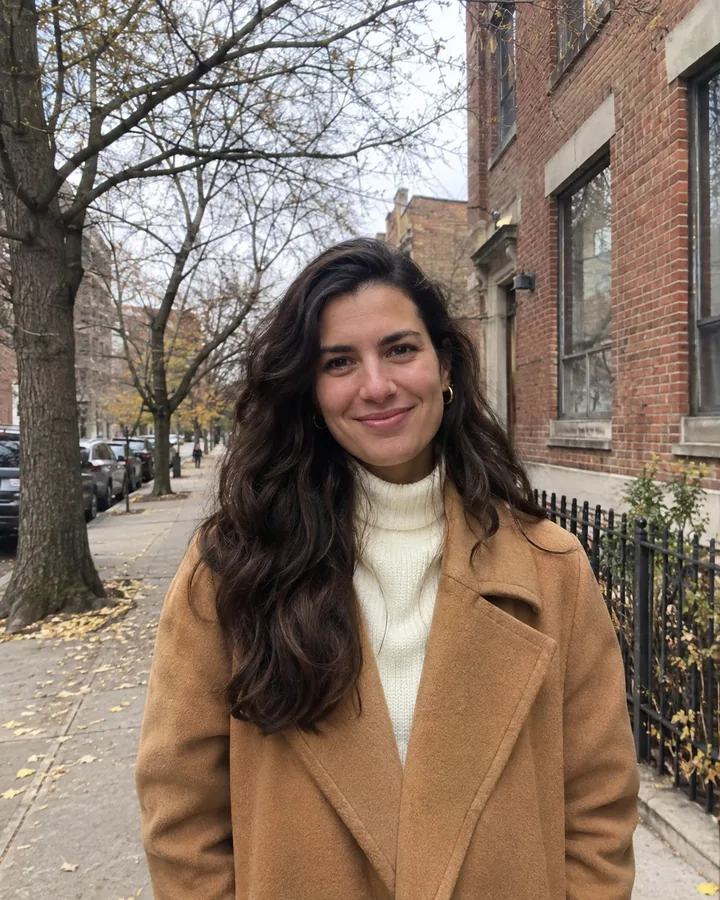
Before: an ordinary photo
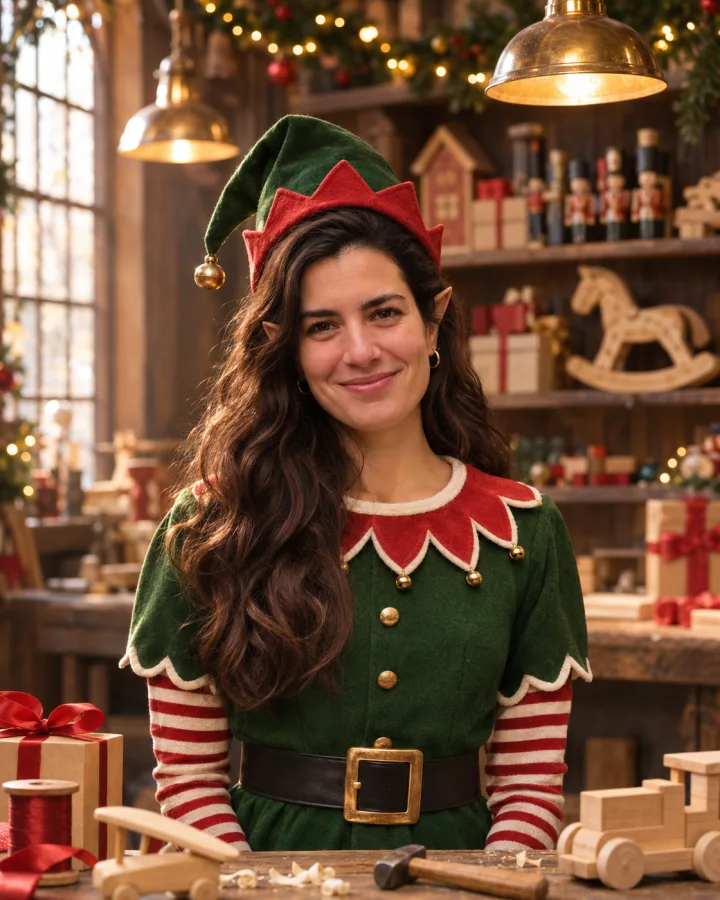
After: Santa's workshop look
How to make yourself an elf, step by step
- Pick the photo. Open the elf maker and upload a JPG, PNG or WebP up to 10 MB, from your phone or computer. The tips in the next section matter more than anything else here.
- Choose a look. There are four: Santa's workshop (at a toy bench under warm lamps), North Pole (in the snow by the striped pole), By the fireplace (stockings on the mantel, made for families) and 3D cartoon elf (an animated holiday movie version of you).
- Press "Make me an elf". The photo is ready in a minute or two.
- Check and download. Drag the slider to compare the elf with your original. If you like it, download it full size; there's no watermark. If not, run it again or try another look on the same photo.
Your first elf photo is free with a free account. After that, each photo costs 1 credit, and a failed generation gives the credit back.
Which photo gives the best elf
The AI can only keep the face it can see, so the photo you upload decides most of the result.
- Face sharp, in good light, looking at the camera. A selfie at arm's length by a window is ideal.
- Waist-up for a solo elf. It leaves room for the hat and the collar. A tight face crop gives the costume nowhere to go.
- Nothing covering the face. Sunglasses, a hand on the chin, a big scarf or strong light behind you all weaken the likeness.
- Not too small in the frame. In a wide shot from across the room, each face is only a few pixels, and those are the photos where the likeness slips.
Turning the whole family into elves
For couples and families, use one photo with everyone in it and every face in view. The elf maker keeps everyone in the same order and at the same heights, gives each person a costume that fits their age, and adds a little elf hat for the dog or cat if they're in the shot. People who were sitting stay seated. It won't add someone who isn't in the photo, so if grandma lives across the country, she needs to be in the picture you upload.

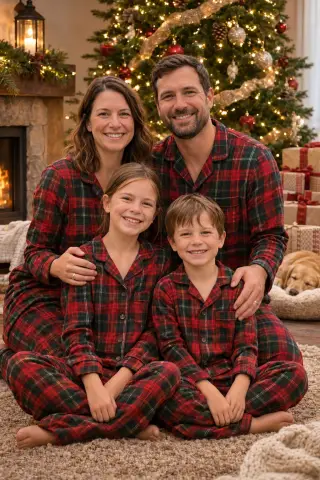
Before: the family on the sofa
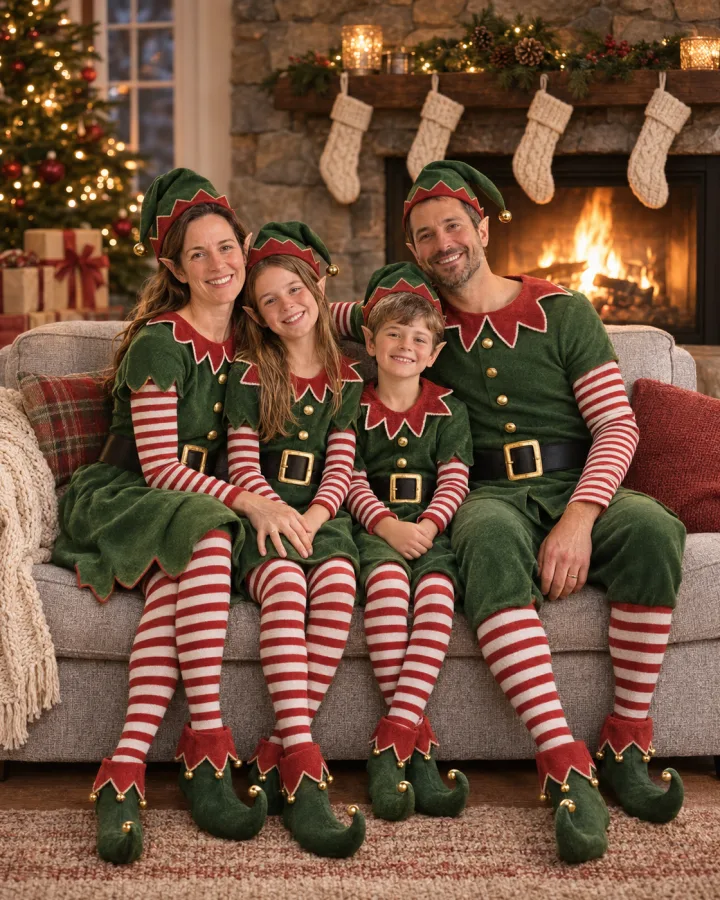
After: By the fireplace look
When the AI result isn't right
- It doesn't quite look like you. Try a sharper, front-facing photo with more light on your face. That fixes it more often than running the same photo again.
- Someone is missing or doubled in a group shot. Usually a face was half hidden or very small. Pick a photo where everyone is clearly visible.
- The scene doesn't suit the photo. A standing group shot works better in the workshop or the North Pole; a sofa shot fits the fireplace. Switch the look on the same photo.
Each run is a fresh take, so two tries with the same photo and look won't come out identical.
Way 3: Use a filter or a face-swap app
Live filters in Snapchat, Instagram or TikTok put elf ears and a hat on top of your face in real time. They're great for a quick video or a story, and they cost nothing. They don't change your clothes or the room, though, so the result looks like you with a hat sticker, not like an elf.
Face-swap apps go the other way: they put your face on a ready-made elf. It's fast and often funny, but the face is pasted in, so the lighting and the angle rarely match the body, and it's harder to make it look like a real photo of you.
The best known of these is JibJab's ElfYourself, which puts your face on dancing elves in a video. If a dancing elf video is what you're after, that's the tool for it. The FestiveLooks elf maker is a separate tool, not affiliated with JibJab, and it makes still photos rather than videos.
What to do with your elf photo
- The Christmas card. A family of elves by the fireplace, with a line like "Santa's helpers, reporting for duty." The download has no watermark, so it drops straight into whatever card maker or print shop you already use.
- A December profile picture. The North Pole look or the cartoon elf, for the season, then switch back in January.
- The office or the group chat. One party photo, the whole team as elves. Ask first before you post someone else's elf face.
If elves aren't for everyone in the house, the AI Christmas photo generator has Santa, matching pajamas and a snowy cabin. For more ideas for the card shot itself, see our family Christmas photo ideas.
Common questions
Can I turn my kids into elves? Yes, with any of the three ways. With the elf maker, children keep their age and get child-sized costumes, and every upload is checked before it's processed. Uploads are deleted after 7 days and finished photos after 30.
Can I make a cartoon elf of myself? Yes. Pick the 3D cartoon elf look in the elf maker. It keeps your hair, skin tone and glasses, and works well as a profile picture.
Does the AI version change my face? It shouldn't. The only change to your face is the small pointed ears. If the likeness is off, a clearer photo is the fix.
Start with the photo you already have
Pick your clearest, best-lit photo from this year, run it through the elf maker, and see how you look as an elf before you buy a single striped sock. If you love it, you've got your card. If you want the real thing, you now know exactly which costume to put together.