Add Santa to Photo Online

Upload a photo of your living room, porch or family and Santa shows up in it, lit like he was really there. Catch Santa in your house right in your browser, and your first photo is free.

Upload your photo
Choose a look11 looks

1 credit per photo after your free one ยท failed generations are refunded

Gifts under the tree
ORIGINALEXAMPLEDrag to compare
Gifts under the treeBest for room photos

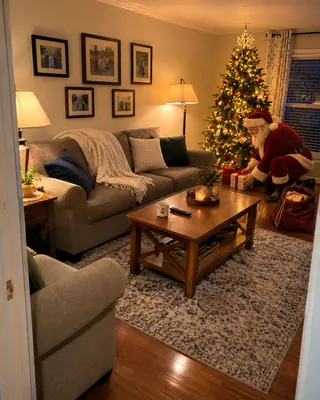
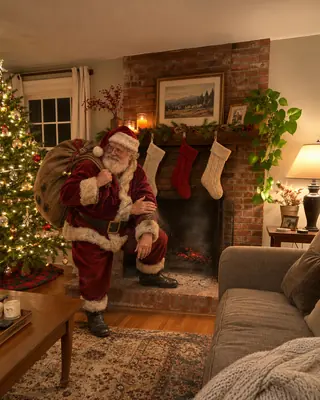
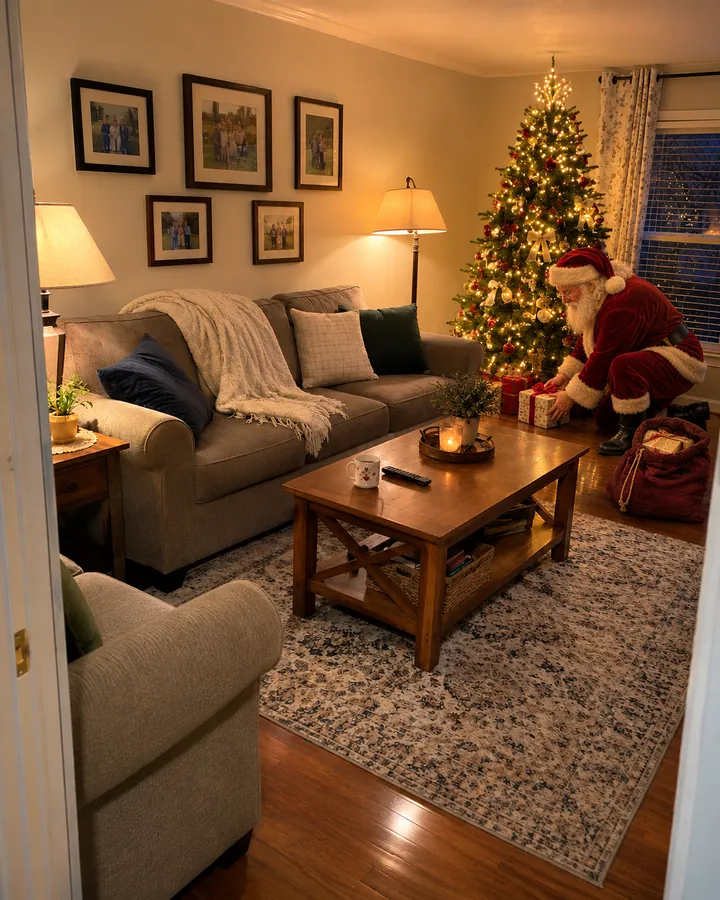
Santa kneels by your tree late on Christmas Eve and sets down the presents.
Example made from the photo on the left. Upload yours to make your own.

11 Santa scenes

Catch Santa in your house

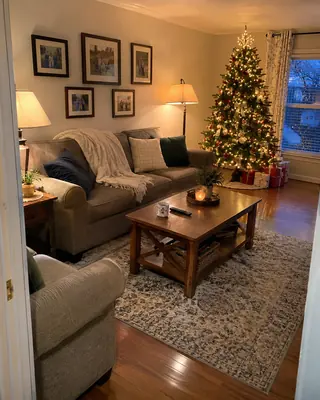
Pick a scene and run it on your own photo. Every example here was made from the plain photo shown beside it, so you can see what stays and what Santa adds.

Gifts under the tree

Gifts under the tree

Santa kneels by your tree late on Christmas Eve and sets down the presents.

Cookies & milk

Cookies & milk

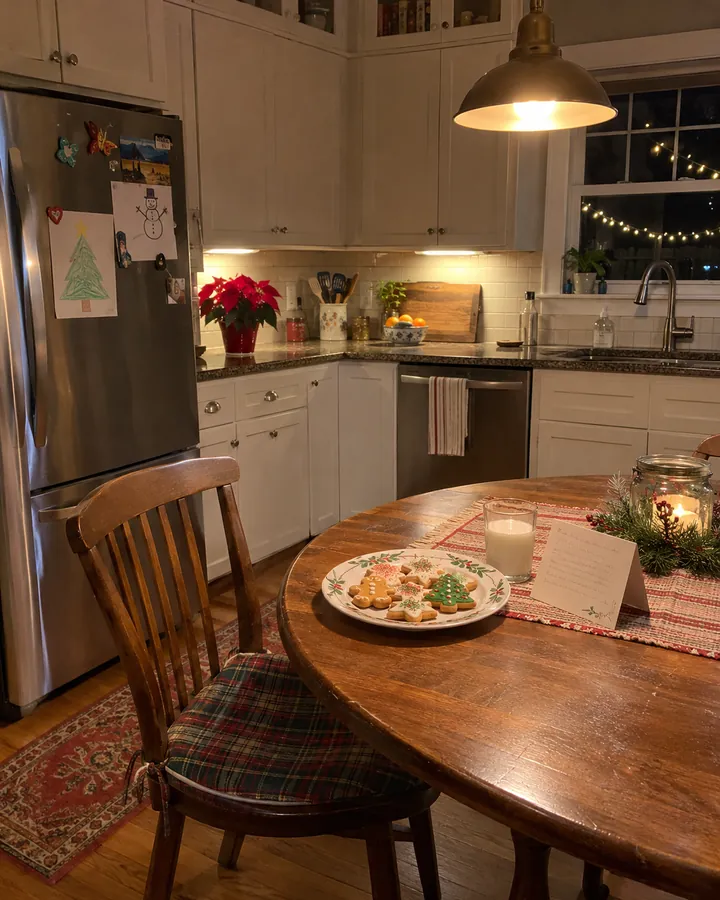
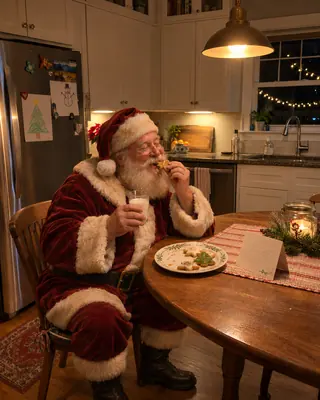
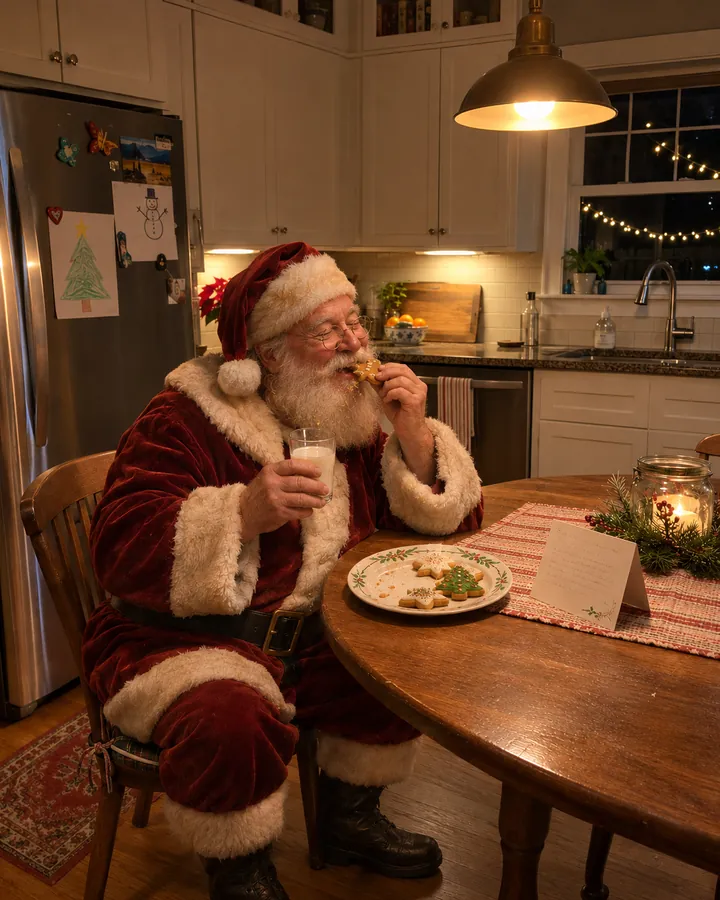
Santa eating the cookies at your kitchen table, crumbs in his beard.
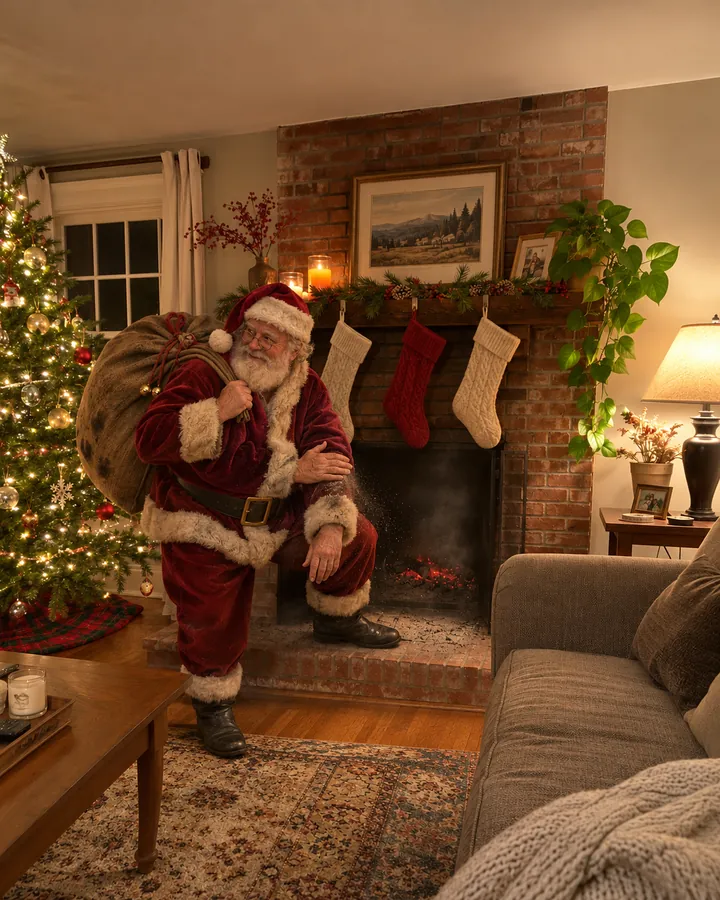
Down the chimney

Down the chimney

Stepping out of your fireplace with his sack, brushing off the soot.
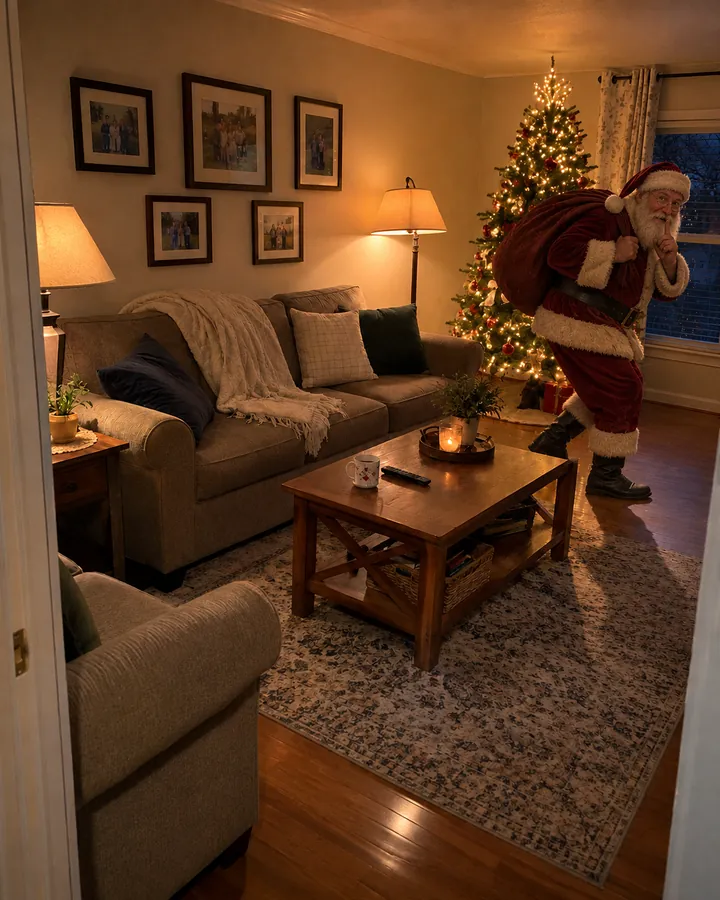
Tiptoe sneak

Tiptoe sneak

Sneaking through your living room with a finger to his lips. Shh.
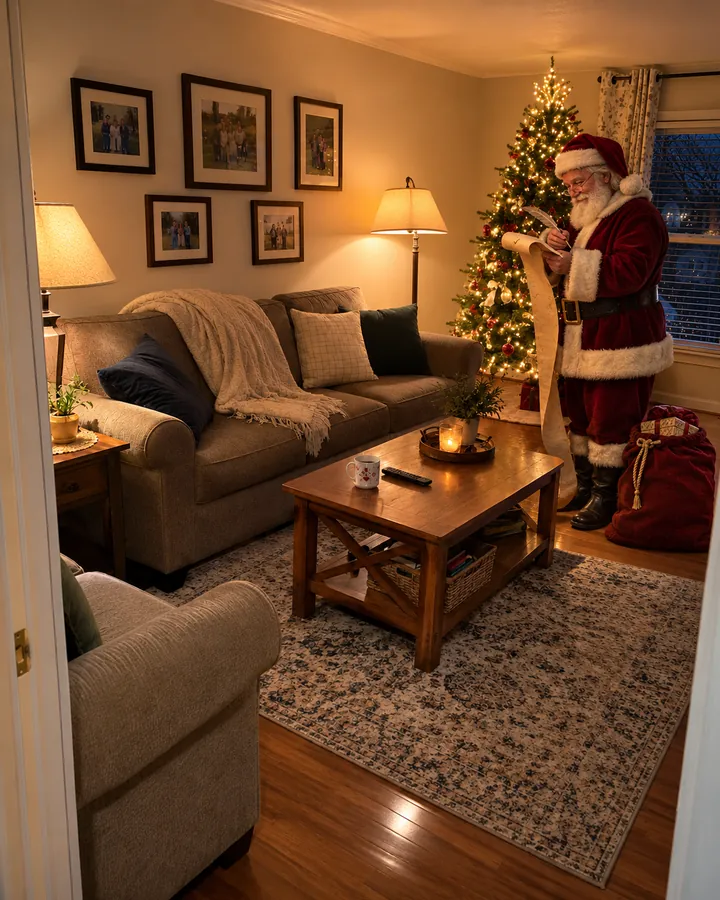
Checking the list

Checking the list

Reading the nice list by your tree, quill in hand.

Add Santa to Photo

Put Santa in your photo, lit like he was really there

Most Santa apps paste the same cut-out Santa on top of your picture. Add Santa to Photo puts him into the photo itself: the right size for your sofa, standing on your floor, lit by your own lamps and tree lights.

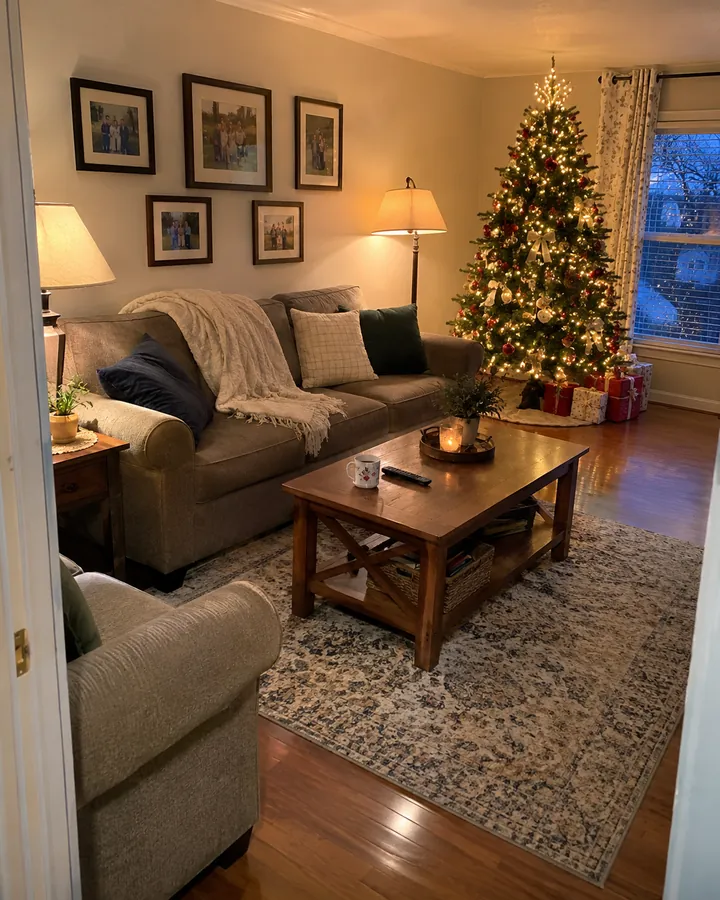
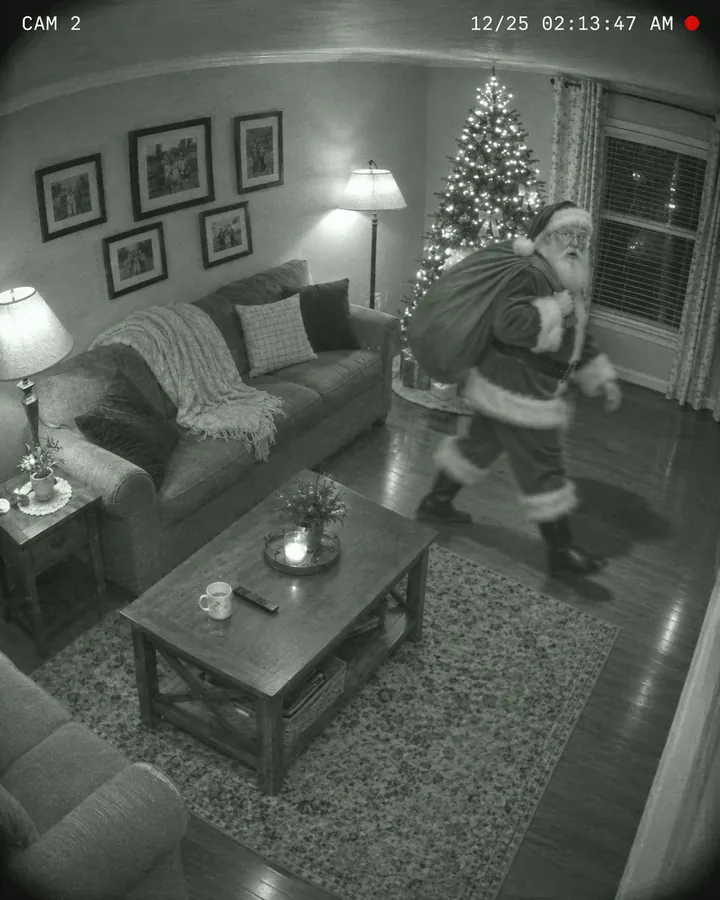
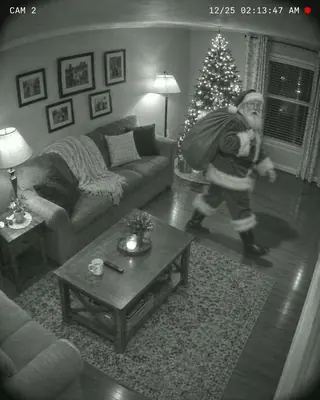
Your room stays your room. The furniture, the decorations and the angle you shot it from stay where they were; only Santa and what he brings are new. One living room photo can become four different nights: Santa leaving gifts, tiptoeing past the sofa, checking his list, or crossing the frame on a night-vision camera.

  • Your room, unchanged. Furniture, decorations and the camera angle stay as you shot them.
  • Light and shadows that match. Santa picks up the glow of your room and casts a shadow on your floor.
  • Set late on Christmas Eve. Home scenes happen at night, with the lights down and the tree glowing.
ORIGINALone living room
Gifts under the tree
Tiptoe sneak
Checking the list
Security cam
One living room photo, four visits from Santa.
Add Santa to photo in 3 steps

How to add Santa to a photo

Three steps and a minute or two of waiting. No app, no editing skills.

  1. Upload a photo

    Take a picture of your living room, kitchen or front porch, or use a family or pet photo you already have. JPG, PNG or WebP, up to 10 MB.

  2. Pick a Santa scene

    Choose from 11 scenes: Santa in your home, caught on a security or doorbell camera, or posing with your family, kids or pet.

  3. Compare and download

    Drag the slider to compare with your original, then download the full-size photo or try another scene.

Why it works

Photos that make it look like Santa really came

The trick only works if nobody spots the cut-out. That's why Add Santa to Photo builds every scene around your own picture instead of laying a sticker on top.

Built from your photo

The same room, the same angle and the same phone-camera look, with Santa added in.

A Santa who looks real

A natural white beard and a worn velvet suit, not a party-store costume.

No app to download

Works in the browser on your phone, tablet or computer.

Want to be the one in the Santa suit?

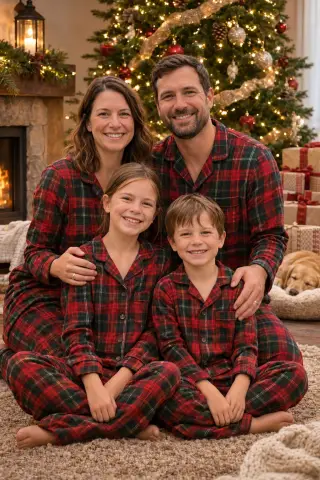
Turn yourself, your family or your pet into a Christmas portrait with 20 looks.

AI Christmas photos โ†’

Full size, no watermark

Every photo downloads at full size with no watermark, ready to print or send.

Private by default

Uploads are deleted after 7 days and finished photos after 30. We never sell them or use them to train our own models.

Ideas

What families do with their Santa photos

Proof Santa came

Hand the kids a phone on Christmas morning: the camera caught Santa in the living room at 2 AM. A real-looking photo of Santa, taken in your own house, does more than any letter.
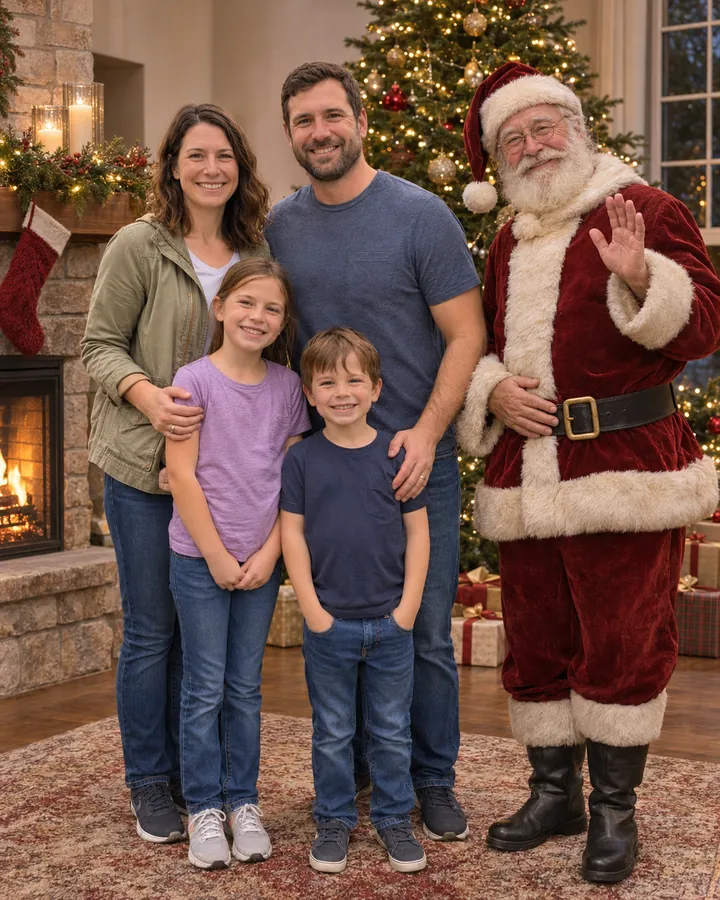
A family picture with Santa

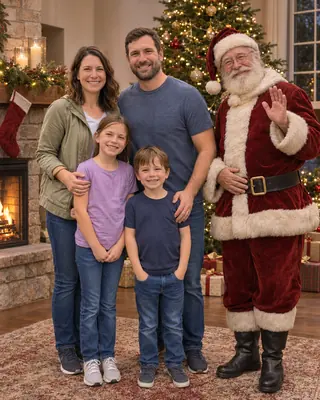
The whole family next to Santa by the tree, for this year's card, without the mall line or the photo package.
The family group chat

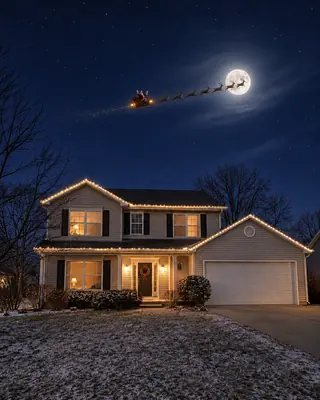
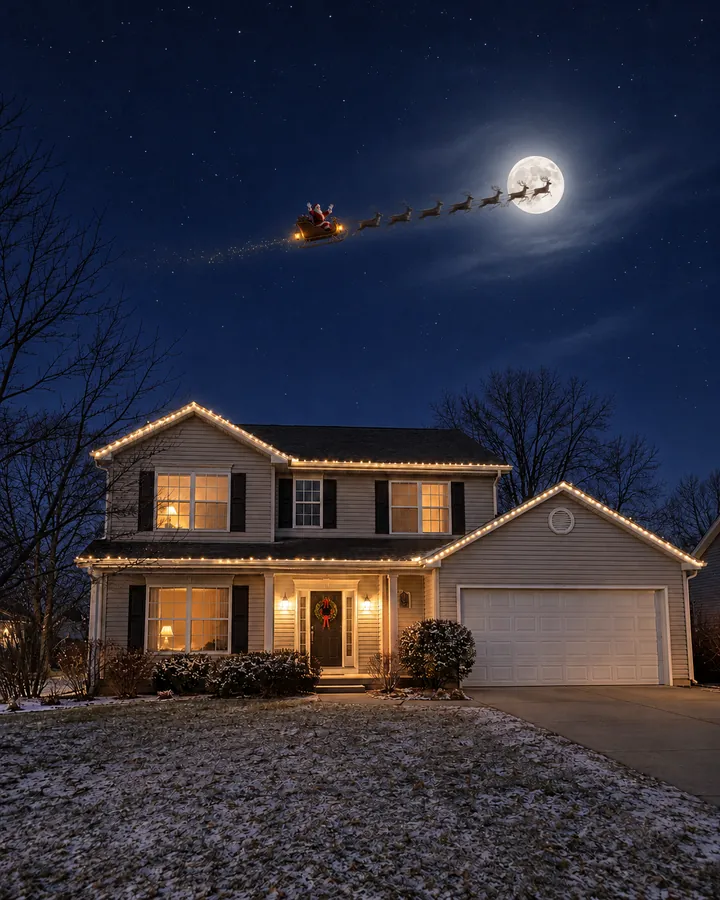
Send the grandparents the sleigh flying over your roof, or Santa at your kitchen table finishing the cookies.

Pricing

One credit per Santa photo

Your first photo is free. After that, Add Santa to Photo uses the same credits as every FestiveLooks tool: subscribe for the lowest price per photo or buy a pack once.

Basic$14.99/ month100 credits a month ยท $0.15 per image
  • Save $60 a year vs monthly
  • Billed $179.88 a year instead of $239.88
  • Full-size downloads, no watermark
  • Every look, every holiday
  • Cancel anytime
Most popularPlus$29.99/ month240 credits a month ยท $0.13 per image
  • Save $120 a year vs monthly
  • Billed $359.88 a year instead of $479.88
  • Full-size downloads, no watermark
  • Every look, every holiday
  • Cancel anytime
Pro$59.99/ month600 credits a month ยท $0.10 per image
  • Save $240 a year vs monthly
  • Billed $719.88 a year instead of $959.88
  • Full-size downloads, no watermark
  • Every look, every holiday
  • Cancel anytime

1 credit = 1 portrait. Unused credits roll over within your billing period. Prices in USD; taxes may apply at checkout. See full pricing โ†’

FAQ

Add Santa to Photo FAQ

How do I add Santa to a photo?
Upload a photo, pick one of the 11 Santa scenes and press Add Santa. Your new photo is ready in a minute or two, and you can compare it with the original before you download it.
Is Add Santa to Photo free?
Yes, your first photo is free with a free account. After that each photo costs 1 credit, from a monthly or yearly plan or a one-time credit pack. If a generation fails, the credit comes back.
Do I need an app to catch Santa in my house?
No. Add Santa to Photo runs in the browser, so you can take a picture of your living room on your phone and add Santa to it on the same phone, with nothing to install.
What kind of photo works best?
Shoot the room upright with some open floor in view, where Santa would stand. For the doorbell scene, photograph your porch from the front door; for the sleigh, your house from across the yard with sky above the roof. For family, kids and pets, use a clear photo where every face is visible.
Can Santa be in a family photo or a picture of my kids?
Yes. Family with Santa turns your family photo into a Christmas picture with Santa by the tree, and Kids with Santa has him reading your children a story. Faces, ages and clothes come from your photo.
Can it look like Santa was caught on camera?
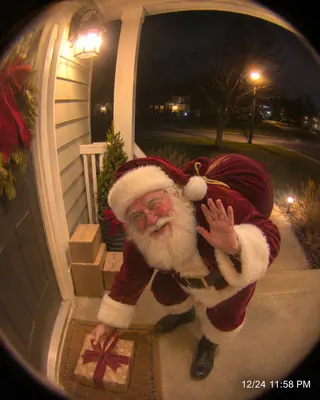
Yes. Security cam turns your room photo into a night-vision frame with a time stamp, and Doorbell cam turns your porch into a fisheye doorbell view with Santa leaving a present.
Will my kids think it's real?
Most results look like a real snapshot taken on Christmas Eve, especially at phone size. If one scene doesn't look right on your photo, try another scene or a different shot of the room before you show it.
Does it work with a photo of my dog or cat?
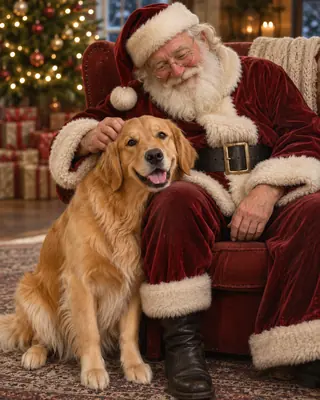
Yes. Santa holds your pet keeps your dog or cat's breed, colors and markings and puts them in Santa's arms or at his side. Use a clear photo where your pet's face is easy to see.
What happens to my photos?
Your photos are private to your account. Uploads you make in Add Santa to Photo are deleted after 7 days and finished photos after 30 days, and you can delete them sooner from My creations. We never sell them or use them to train our own models.

Catch Santa this Christmas Eve

Take a photo of your living room tonight, run it through Add Santa to Photo and see who shows up. Your first one is free.